Common issues and solutions when integrating with the Zimark REST API.
Cause: Missing or invalid API key
Solutions:
- Verify
X-AUTH-KEYheader is included in request - Check API key format starts with
ZIM. - Confirm key hasn't been deleted in Backoffice
- Ensure correct environment (staging vs production)
Cause: The request was authenticated but not allowed. Most commonly the API key has IP restrictions and the request came from a non-allowed IP.
Solutions:
- Check the key's IP restrictions in Backoffice (Administration → API Keys)
- Confirm the request originates from an allowed IP address
Cause: Invalid request format or missing required fields
Solutions:
- Validate JSON syntax
- Check required fields in API Reference
- Verify date formats match ISO-8601
- Ensure enum values are valid
Cause: Invalid endpoint or resource doesn't exist
Solutions:
- Verify base URL (production vs staging)
- Check endpoint path in API Reference
- Confirm resource ID exists
Cause: The request was rate-limited.
Solutions:
- Back off and retry the request
- Use exponential backoff between retries
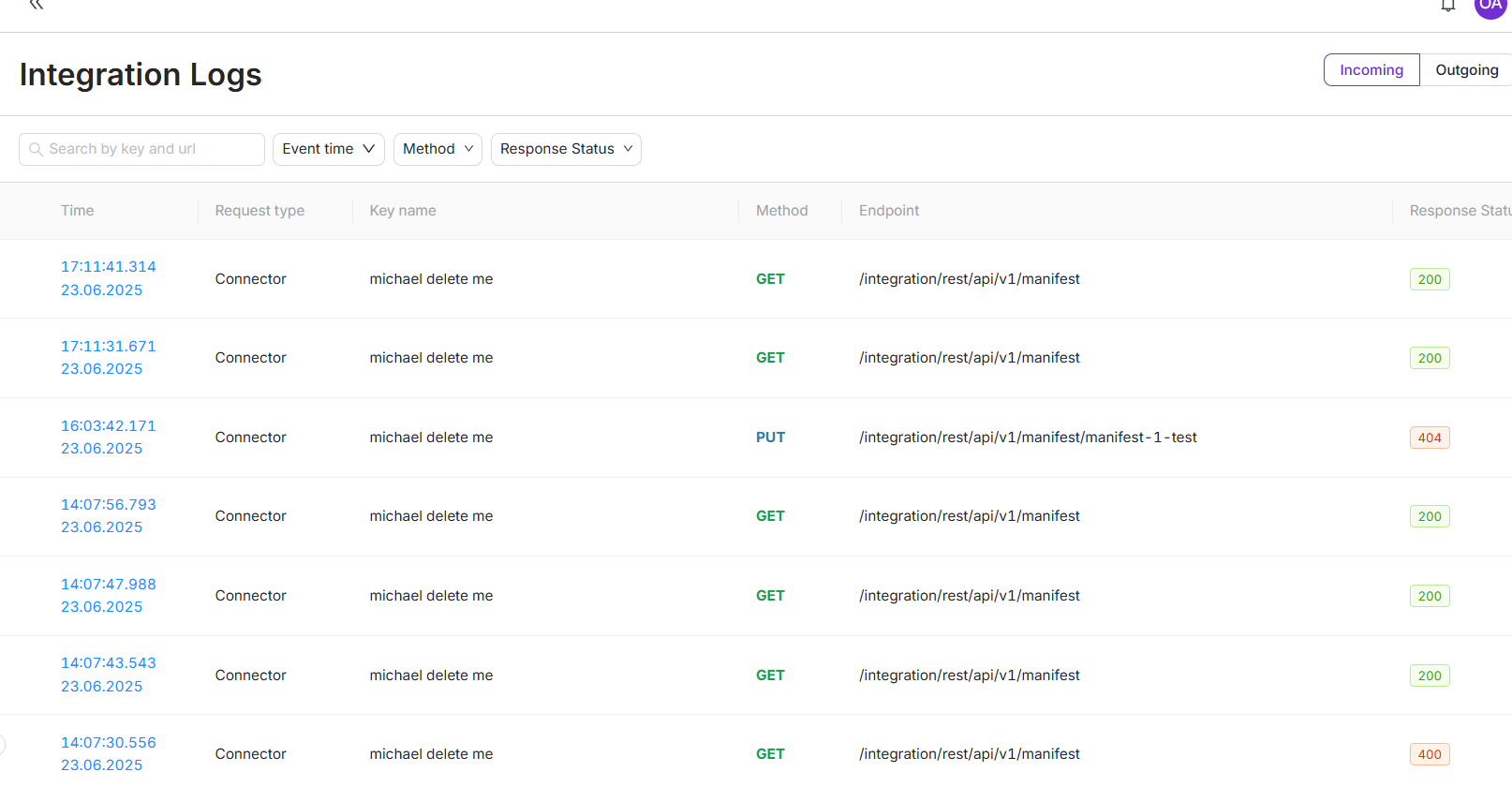
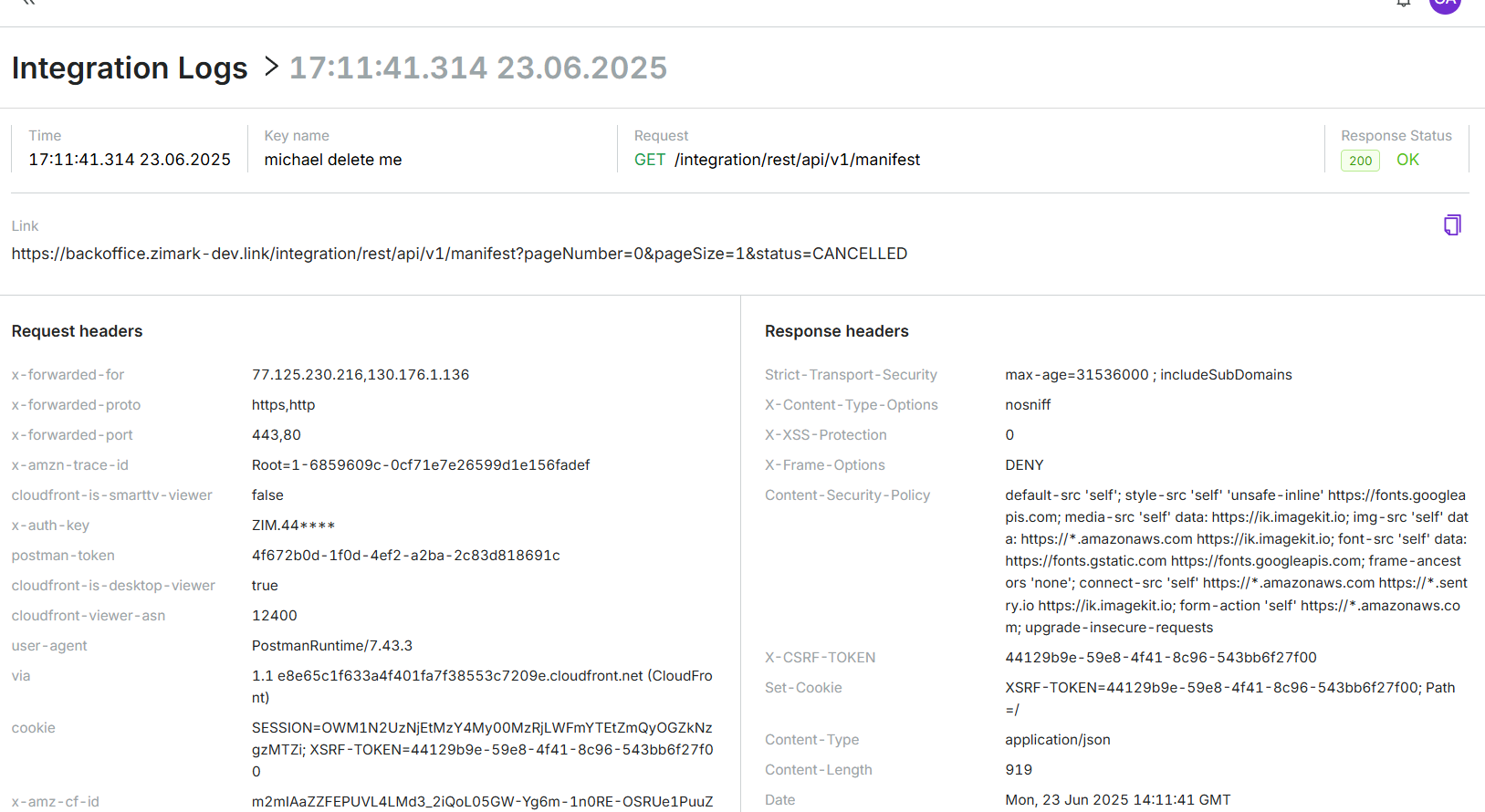
All API requests are logged in the Zimark Backoffice. Use these integration logs to debug integration issues and verify request/response data.
Access logs:
- Navigate to the integration logs in Backoffice
- Filter by date, method, or response status code
- Click a request to view details (headers, body, response)
Use logs to:
- Verify requests reach Zimark
- Debug authentication issues
- Check exact request/response payloads
- Identify webhook delivery problems
Contact Zimark support with:
- Request ID from integration logs
- Error message and status code
- Steps to reproduce